Download Prism
First install: a zip to unpack. After that, Prism updates from inside the game.
Requirements
- Windows 10 or 11, 64-bit.
- Microsoft Edge WebView2 Runtime: already present on Windows 11 and on up-to-date Windows 10. If it is missing, Prism says so and gives the download address.
- A compatible GPU (the game draws with wgpu).
First install
- Unpack the folder wherever you like (not in "Program Files": the game must be able to write to its folder to update itself).
- Double-click prism.exe, keeping the mods, skins and themes folders next to it. No installation is needed.
- "+" button at the top of the map list: pick an osu!mania or Etterna maps folder.
Windows SmartScreen
The executable is not signed yet: Windows may show a warning. Click "More info" then "Run anyway". Only the first run of a download is affected.
After that, Prism updates itself
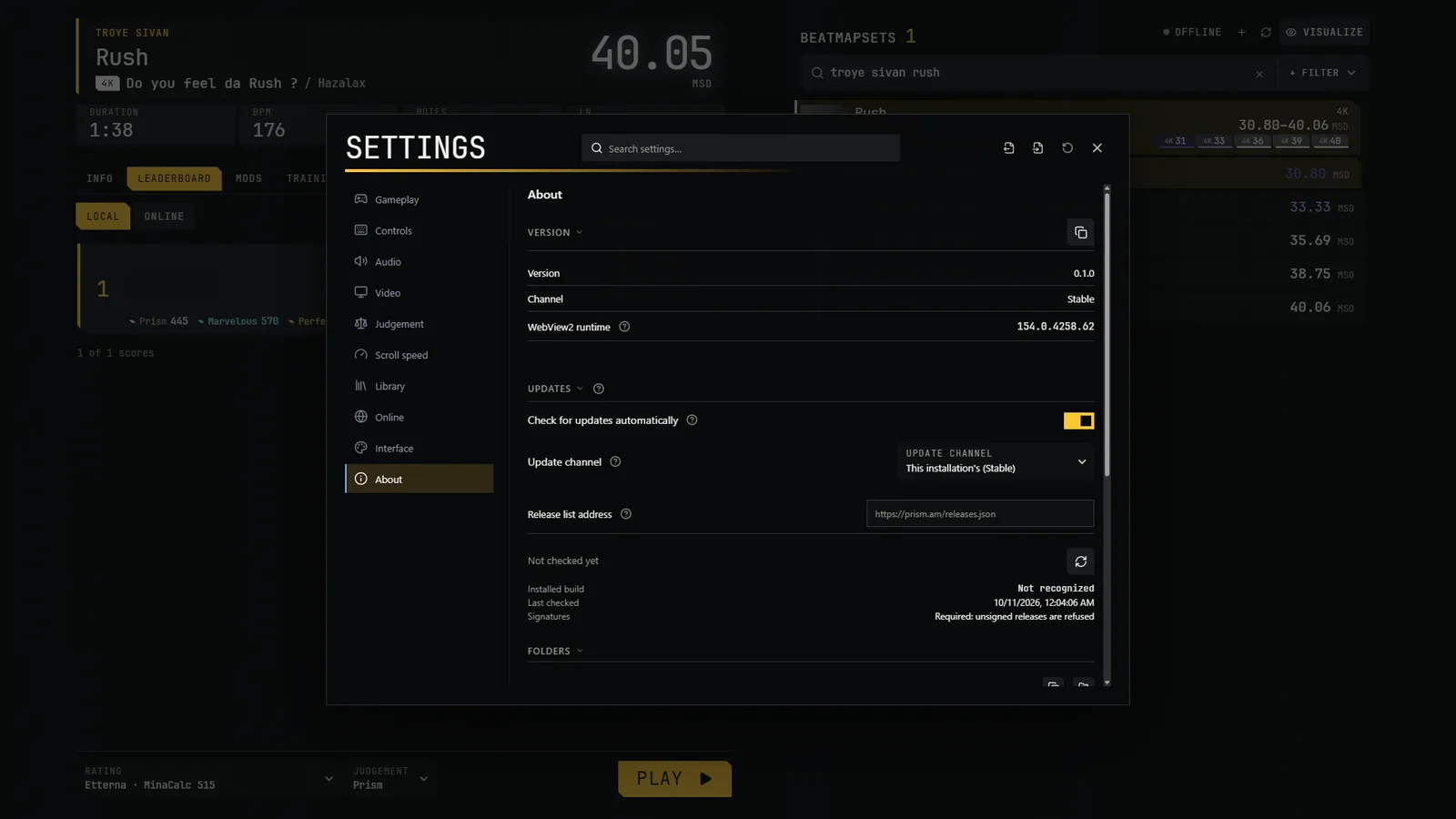
New versions install from inside the game, in Settings → About → Updates:
- Check: the game reads this site's list of releases (releases.json) and nothing else, with no identifier, at most once a day or when you ask.
- Download: only when you click; the size and the SHA-256 are checked.
- Install: "Restart to update". Replaced files are backed up, and your data is never touched.
Reinstall
For a fresh install or a reinstall, use the zip above. Unpacked over an old folder, it keeps your data but replaces the shipped mods, skins and themes folders.
Two channels, two installs
Stable and PBE each have their own data folder and instance: you can run both side by side, with separate libraries and settings.
License and source code
The game's code declares the AGPL-3.0-only licence. The licence text and the public address of the source code are being published; third-party components keep their own licences. Details in the legal notice.