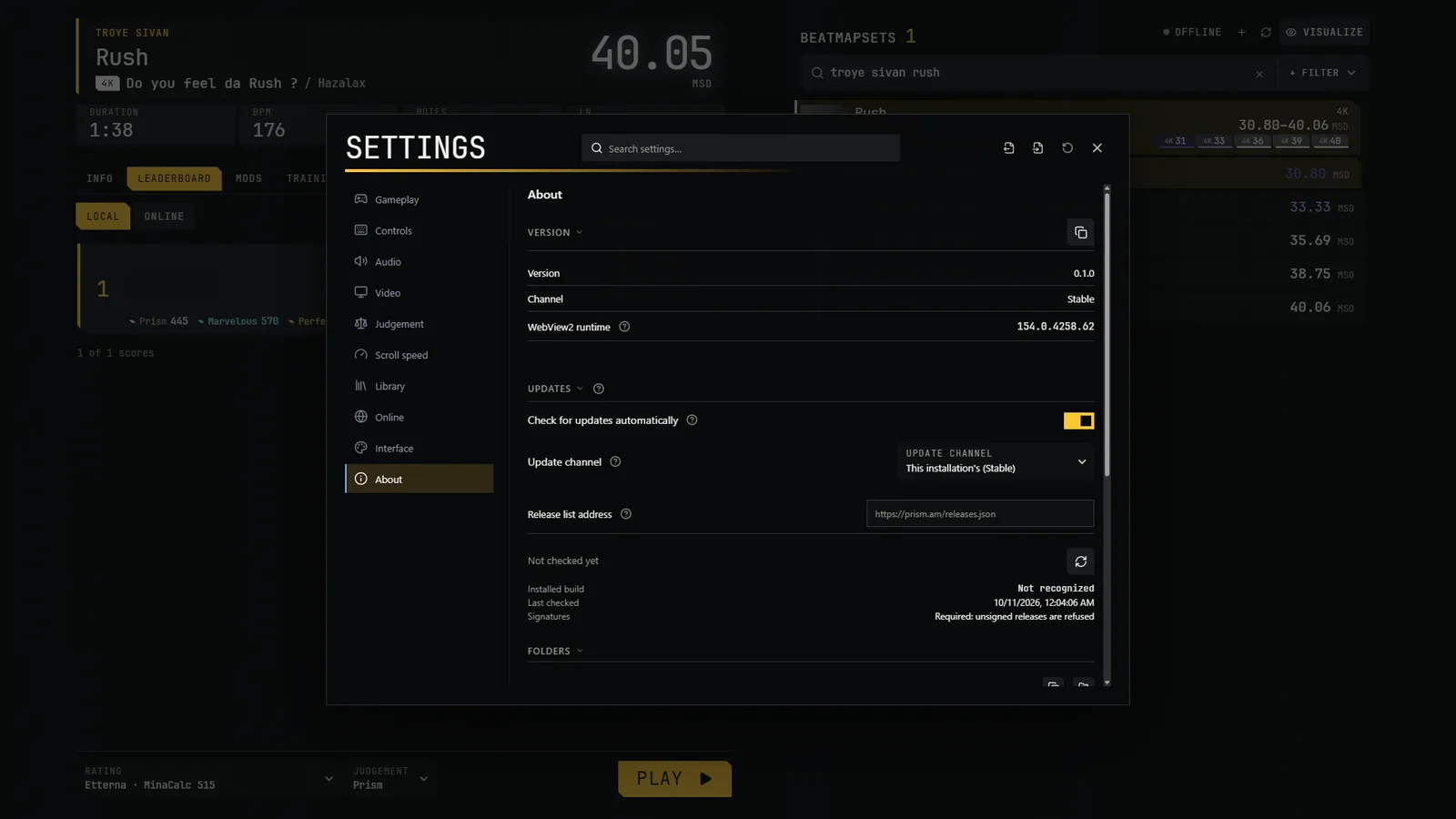
Prism updates itself from inside the game
You only download the zip from the website for the first install. After that, new versions come from Settings → About → Updates:
| Step | What happens |
|---|---|
| Check | The game reads this site's list of releases, releases.json, and nothing else. It sends no identifier, no version and no cookie. It checks automatically at most once a day, never during a play, or when you press Check for updates. |
| Download | Only when you click. It shows progress, can resume, and checks the file's size and SHA-256 against the list. A wrong file is deleted. |
| Install | When you click Restart to update (or at the next launch if the package is ready). Files are replaced, with a backup, and the game restarts. |
Automatic checking can be turned off in the same place. You can also choose which channel to follow.
Your data is safe
- Your data folder (library, replays, settings, your skins, mods and themes) is never touched by an update.
- Files that the update replaces are saved in
update-backupnext toprism.exe(the last two backups are kept). - Mods, skins and themes you added yourself are never deleted. Shipped ones are replaced by the new version's files (your changes to them are overwritten but backed up), so keep your own work in your data folder.
- If a new version cannot reach the interface twice in a row, the game restores the previous files by itself and says so in Settings → About.
- The game folder must be writable, so do not put it in "Program Files".
Stable and PBE
| Stable | PBE | |
|---|---|---|
| What it is | Versions to play | Test versions, published before stable ones; they can break |
| Marked by | A file channel that says stable, or is absent |
A file channel that says pbe |
| Data folder | %LOCALAPPDATA%\Prism\PrismNG\data |
%LOCALAPPDATA%\Prism\PrismNG-PBE\data |
| Window title | Prism | Prism PBE, with a PBE badge |
Both can be installed and run at the same time, with separate libraries and settings. Only one copy of each channel runs at once. Do not edit the channel file: download the other channel's zip instead. If you ask the updater to switch channel, it warns you that the data folder changes.
Manual download (fallback)
The Download page also serves as a reinstall or fresh install route. If you unzip a newer zip over an old folder, your data stays, but shipped mods, skins and themes are replaced.