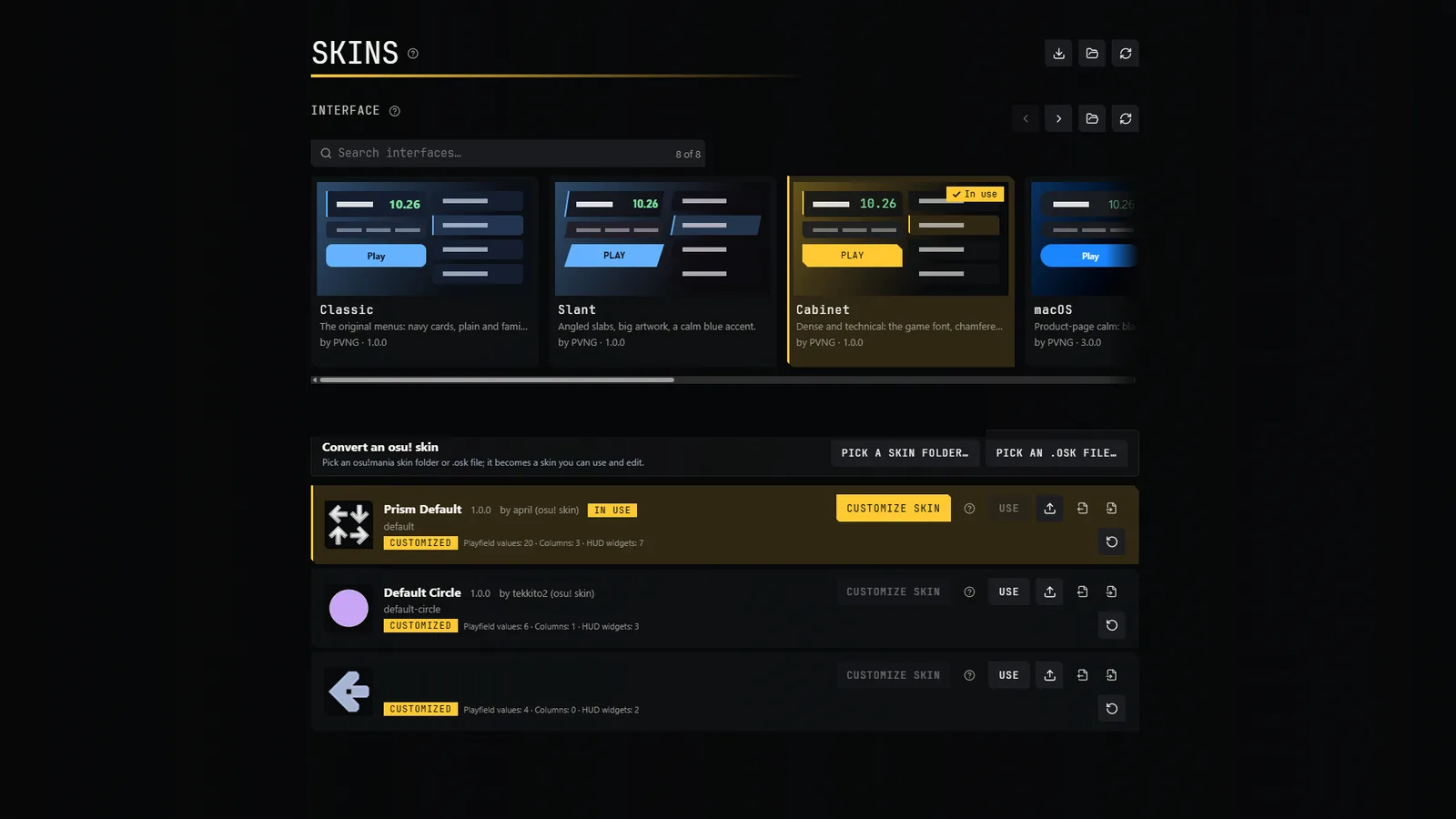
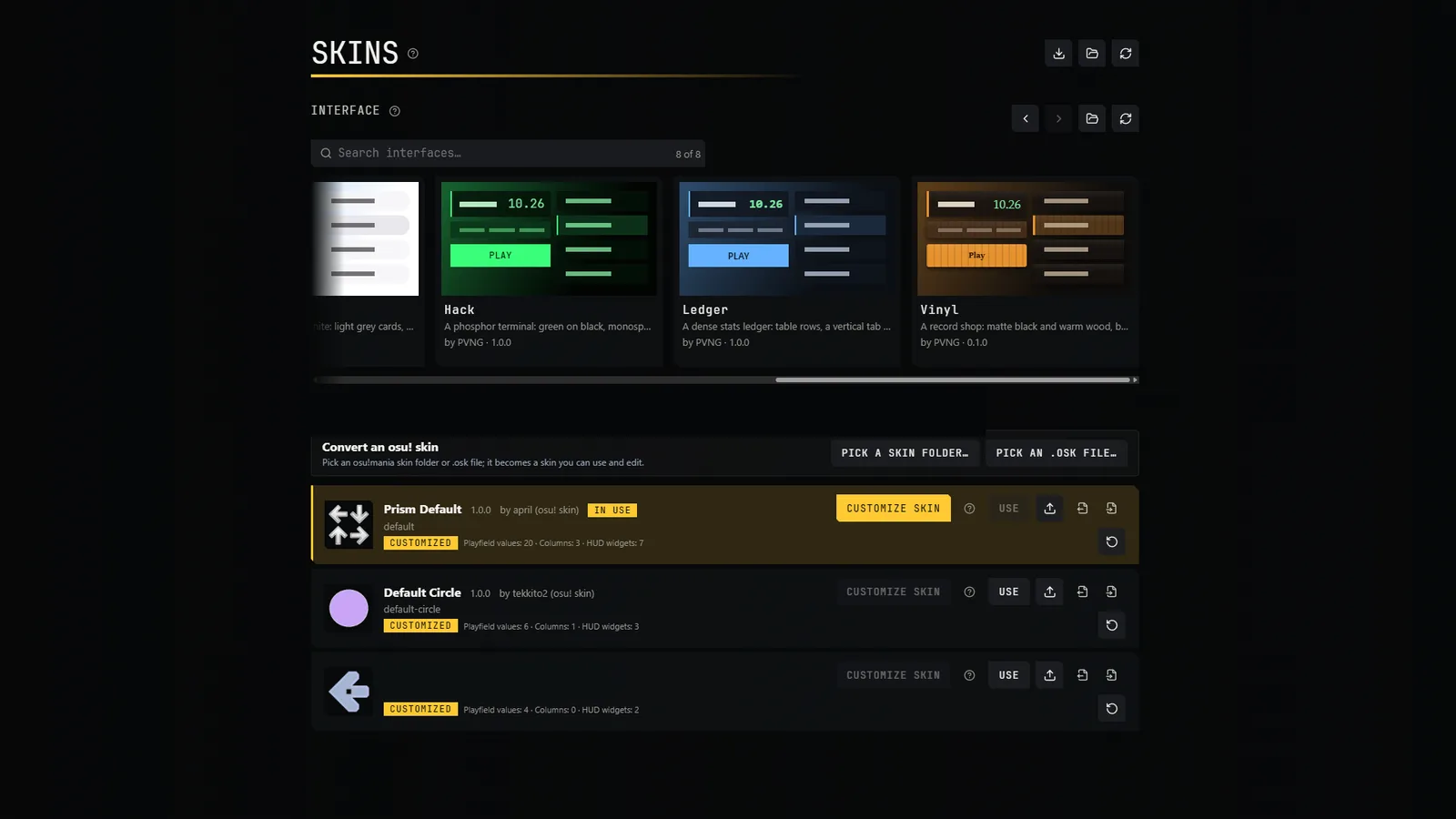
An interface theme restyles all the menus. Prism ships with eight, including Classic, Slant, Cabinet, macOS, Hack, Ledger and Vinyl. Pick one in Skins → Interface.
Accent colour
In Settings → Interface → Appearance you can choose the accent colour: the theme's own, the colours of the map's artwork, or a colour you pick. A theme can also fix its accent.
Add or remove a theme
A theme is a folder with theme.json, tokens.css and optional images. Put it in themes\ next to prism.exe or in the themes folder of your data folder. Delete the folder to remove the theme. Without any theme, the game uses a neutral built-in look.
Themes are data, not code
A theme only sets values that the game validates (colours, sizes, images). It cannot run anything or load anything from the web, so a downloaded theme cannot restyle the menus into something that runs code.