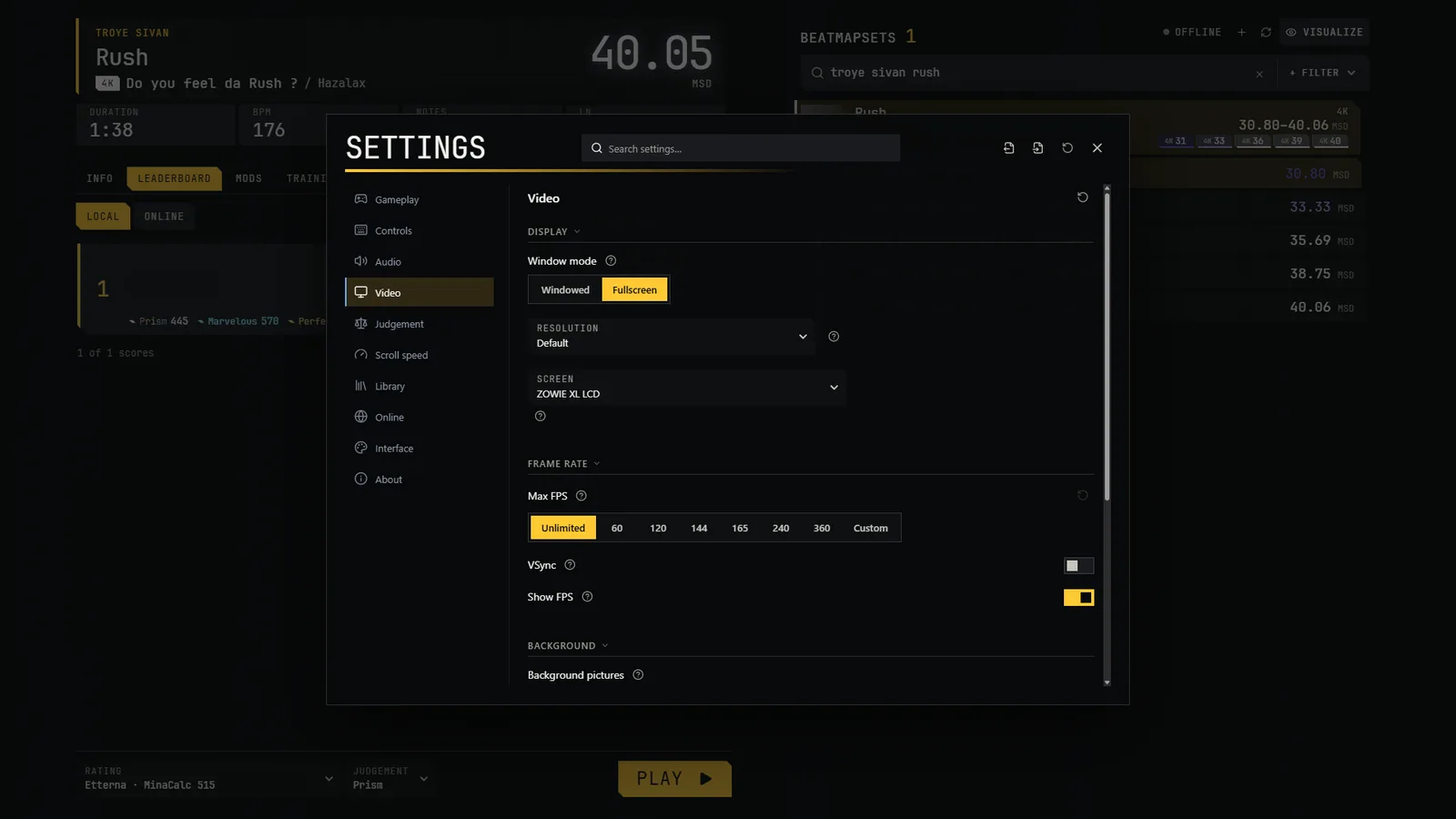
Open Settings from the Esc menu. It has a search box and a button to restore defaults.
| Category | What is in it |
|---|---|
| Gameplay | Audio offset and visual offset; map scripts |
| Controls | Column keys per layout; pause, quit, restart and skip-intro keys; keys that mods declare; how long to hold to quit |
| Audio | Volume; peak normalisation; menu music |
| Video | Display mode, resolution, monitor; max FPS, VSync, FPS counter; background images, black background, background brightness |
| Judgement | Judgement sets and your own presets, window of each tier |
| Scroll speed | The system to use and its value |
| Library | Map folders; downloads; install-time optimisation; which difficulties are shown; background calculation |
| Interface | Player name, language, appearance, HUD fonts |
| Mods | Options of mods that need them (only if there are any) |
| About | Version and channel, folders, crash log, updates |
Language
The interface is available in English, French and Simplified Chinese. English is used until you choose another language: Settings → Interface → Language. The game does not read your Windows language.
Export and import your configuration
Two icons at the top of Settings export and import your settings as a .pvsettings.json file; each skin's row has the same for that skin's customization (.pvskin-config.json). The files are readable JSON.
Export only includes a fixed list of settings. Never exported: your player name, your folders, secrets (the osu! application credentials and Quaver token are kept in separate encrypted files), the chosen skin, which mods are disabled, the screen and audio device, and other things tied to your machine. Keys are exported only if you tick "Include keys" (off by default). On import, the game validates the file and shows you what will change before applying it.