A skin decides how the playfield looks and where the HUD elements go. It is a folder with a skin.ts script and pictures. Prism ships with Prism Default and Default Circle, plus the skins you add.
Choose a skin
Esc menu → Skins lists your skins with a preview, name, version and author. Use selects one; it applies from the next map launch. Other buttons: Export, Uninstall, Import…, Open folder, Reload.
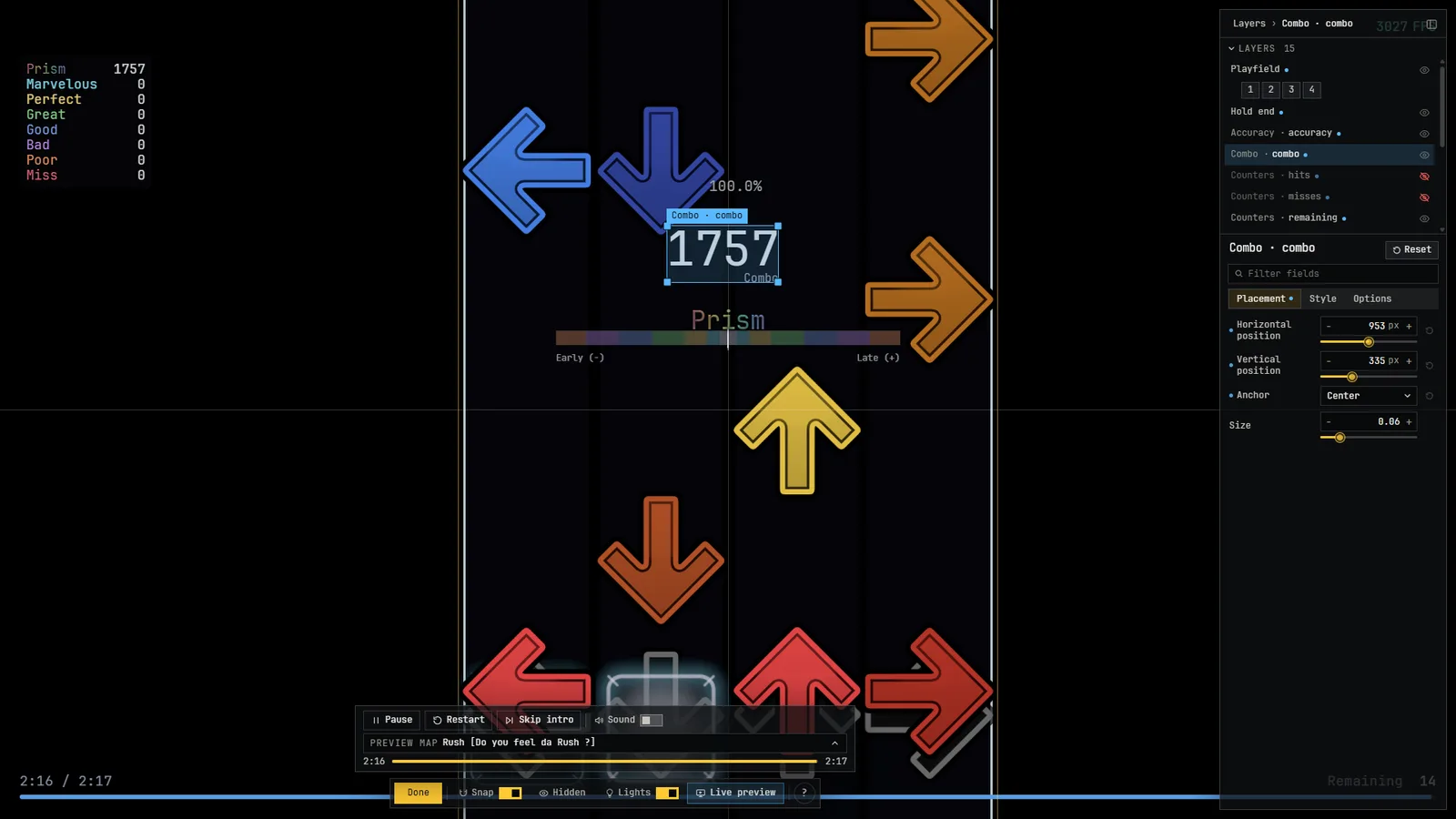
Customize a skin in the game
Customize skin (on the card of the current skin) opens the skin editor. Click the playfield, a column or a HUD widget to select it, then use the inspector:
- Playfield: position (drag), zoom, rotation, column width, gap and height, the receptor line, scroll direction, sizes of notes, receptors and holds, border, colours.
- Column by column: each column can be moved, resized and given its own colours and images.
- Images: pick from the skin's images or import your own.
- HUD widgets (accuracy, combo and so on) are mods; you can move, resize and hide each one, per skin.
Reset customization removes your changes. The icons on a skin's row export and import the customization alone, as a .pvskin-config.json file.
Import and export
- Export writes
<id>.zipto a folder you choose. - Import… installs a
.zipas a new skin. It never replaces an existing skin: a number is added to the folder name if needed. The whole archive is checked before anything is written (safe paths, no links, no encryption, allowed file types, size limits), and askin.tsis required. - Skins must contain only
.ts,.png,.ttfand.otffiles.
The Skins catalogue on this site hosts skins that you can download and import this way.
Convert an osu! skin
The Skins page has a Convert an osu! skin card (provided by a mod). Choose an osu!mania skin folder or an .osk; the card shows which layouts (4K to 7K) will be created and what Prism cannot reproduce (for example separate hold heads, judgement and combo images, sounds). Create skin writes a normal folder in your data folder, never over an existing skin, and you can open it in the editor.